Intended Audience: Students taking Essentials Courses
About
Student Learning Portal (SLP) pacing guides are currently provided for Essentials courses. Follow the steps below to view a pacing guide of which activities should be completed each week to stay on track in the course.
Instruction
- First, login to the Student Learning Portal (SLP), by default the Dashboard will be shown.
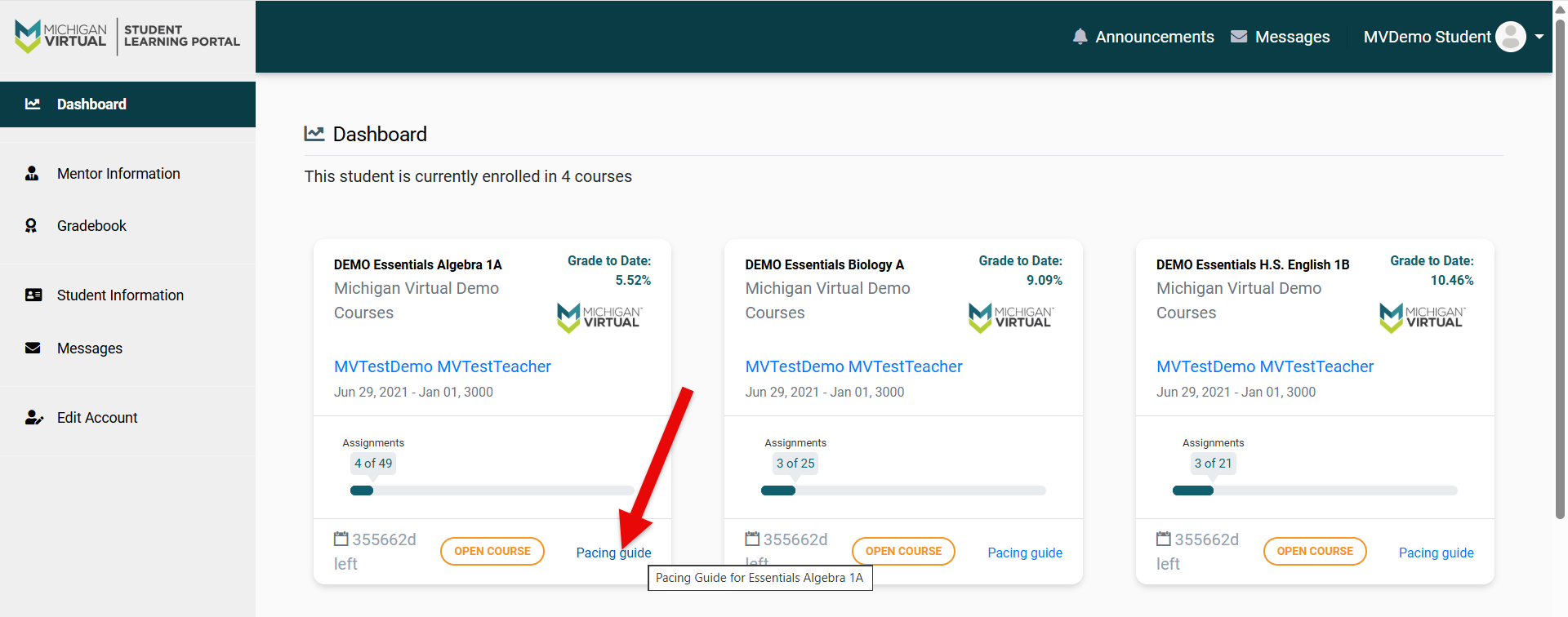
- Next, tap the "Pacing Guide" link located in the bottom right corner of the course tile as shown below.
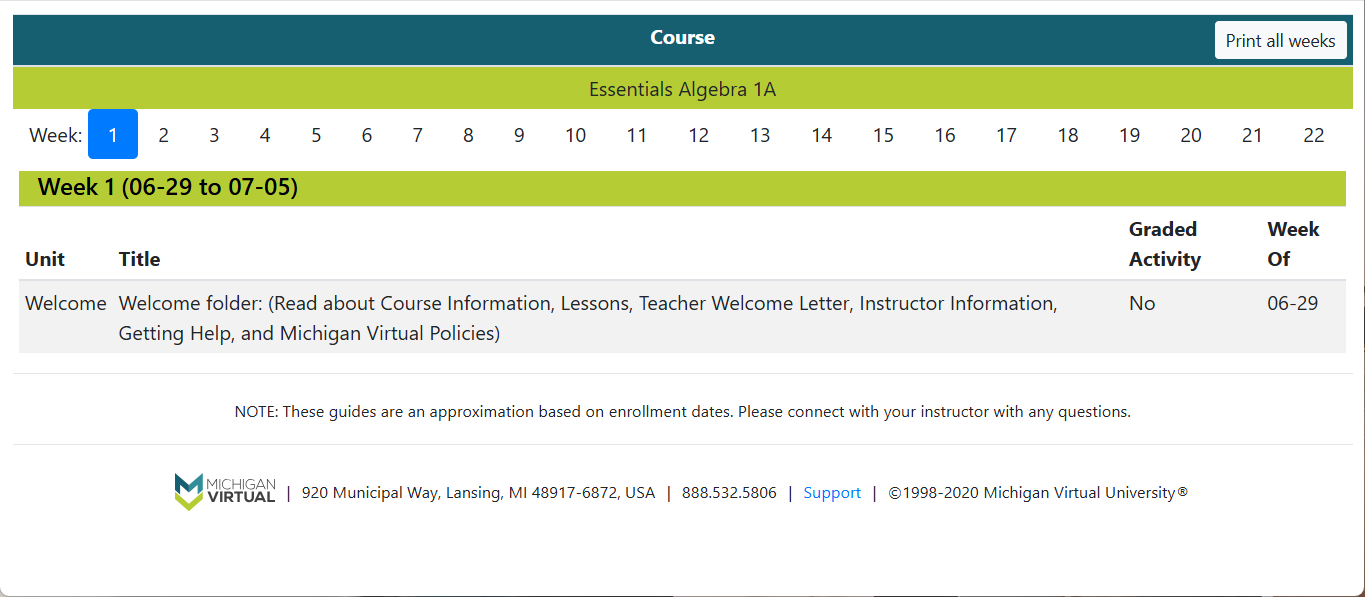
- As a result, a new tab will open to display the current weeks assignments. Each week number will be linked and if selected will display the assignments in a table below. To print a copy of this pacing guide, click the “Print all weeks” button in the upper right corner.