Intended Audience: Professional Learners/Educators, MiRegistry Members
About
The Professional Learning Portal (PLP) grants learners and educators access to courses that fulfill their professional development needs. These courses may also provide State Continuing Education Clock Hours (SCECH) credits or Continuing Education Units (CEUs). The following instructions will lead learners to create a PLP account.
Instruction
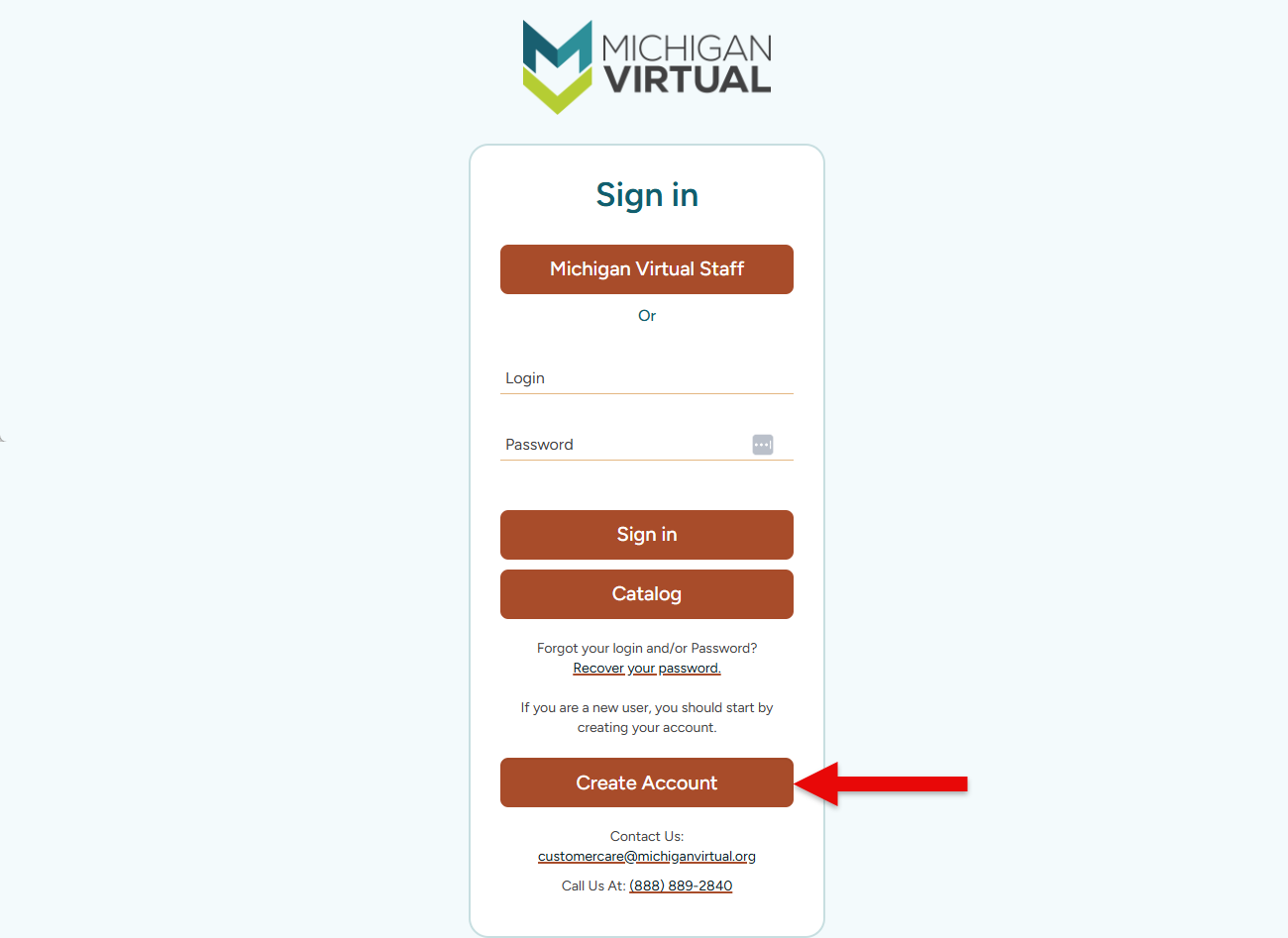
- First, a browser and navigate to the PLP Login page.
- Next, tap the Create an Account button at the bottom of the page.
- Complete the registration form and ensure to verify the provided email's accuracy, as it will be essential for activating and accessing the PLP account. Tap the Next button to continue to the next page.
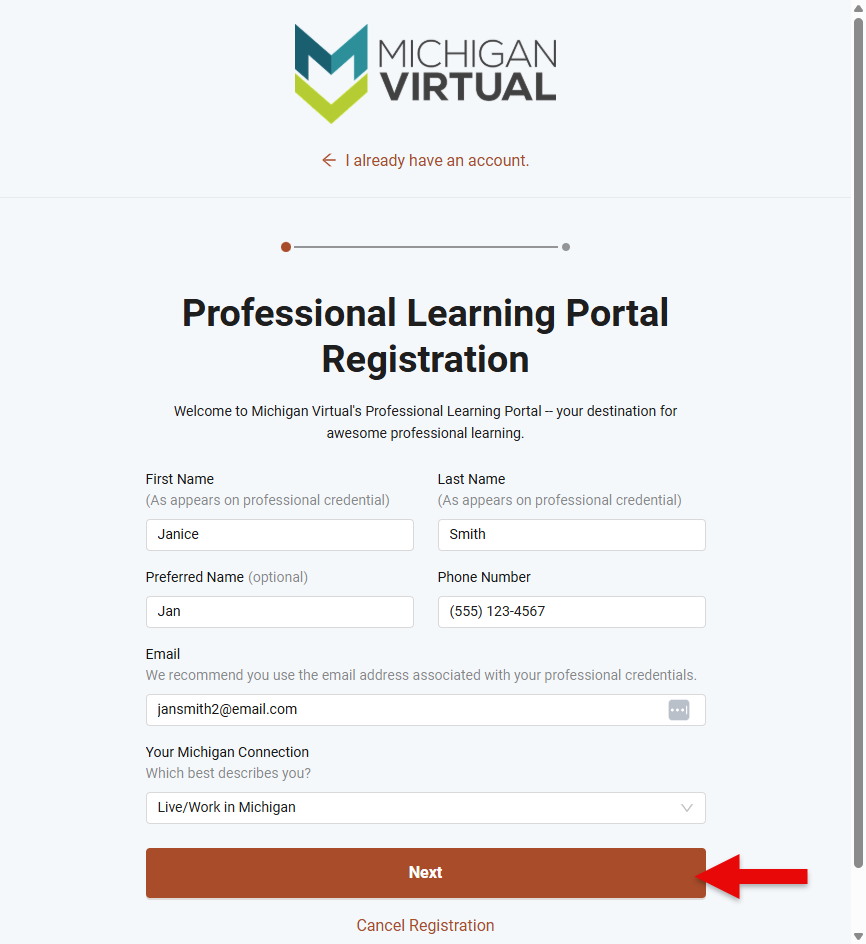
- Your Michigan Connection
- If "Live/Work in Michigan" is selected, proceed to step 4.
- If "Neither (Out-of-State Registration) is selected, skip to step 5.
- Your Michigan Connection
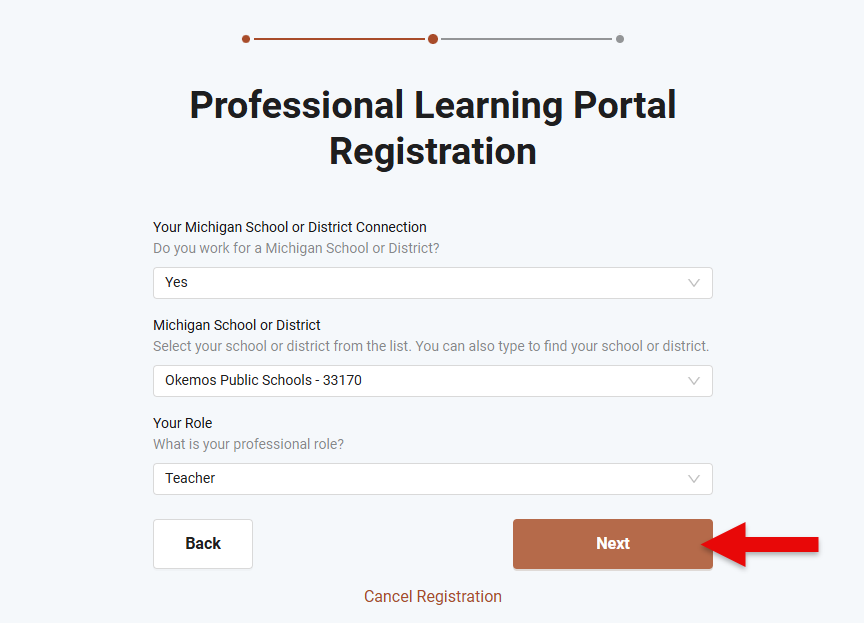
- Populate the drop-down fields to specify Your Michigan School or District Connection. When fields have been populated, tap the Next button.
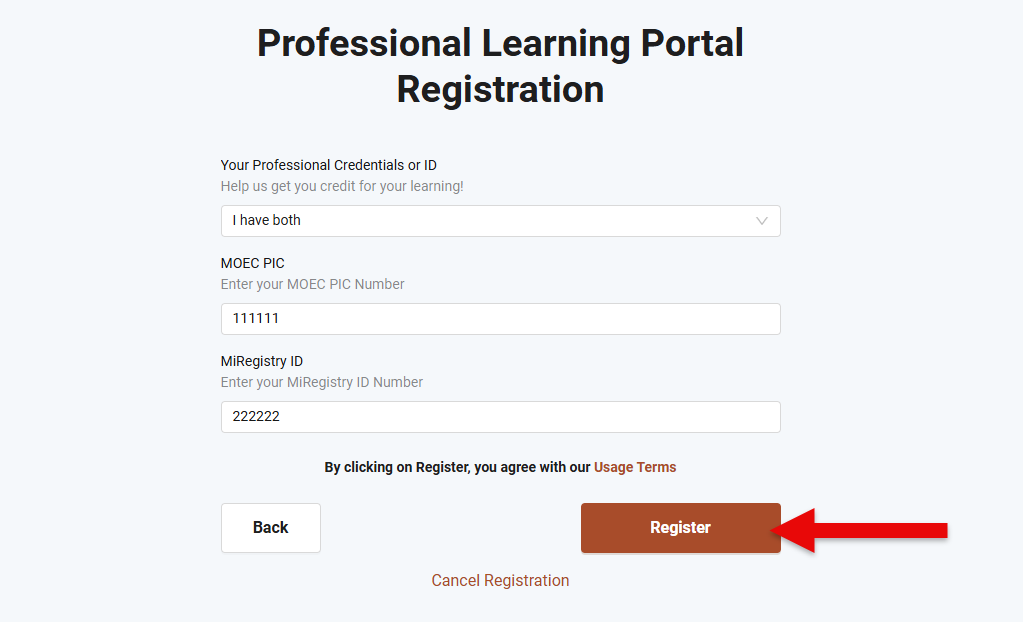
- Populate the drop-down field to specify Your Professional Credentials or ID. Based on the response, additional fields may be shown.
- To locate MOEC PIC, refer to the Retrieve Personal Identification Code (PIC) article.
- To locate MiRegistry ID, refer to the Retrieve Registry ID article.
- Once all fields are populated, tap the Register button.
- Finally, check your email inbox for account creation details and then log in to view the PLP Dashboard.