Intended Audience: Professional Learners/Educators, MiRegistry Members
About
While most enrollments in the Professional Learning Portal (PLP) are instantaneous, using PayPal as a payment method involves a brief communication period between the payment gateway and the system. This can result in a short delay before content becomes accessible to the learner.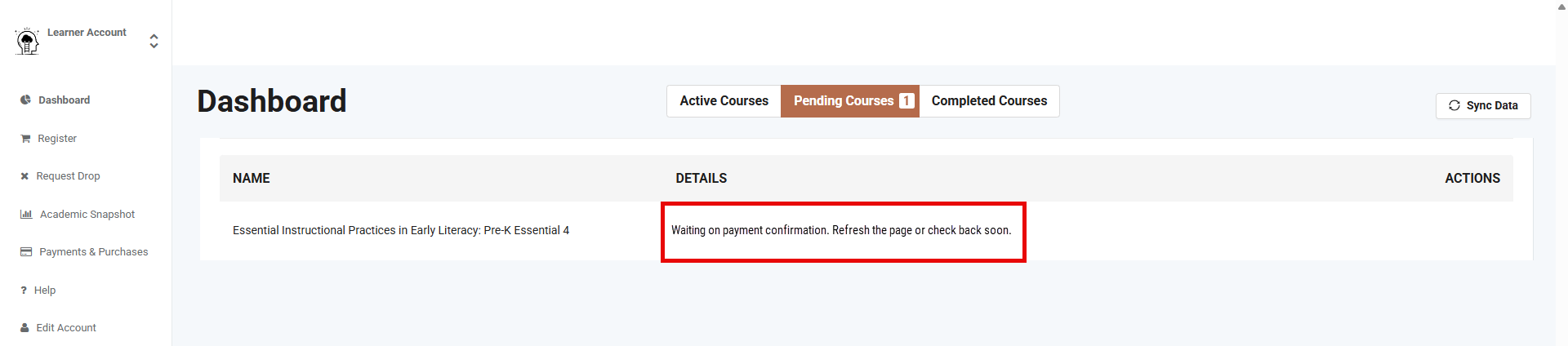
What to Expect After Purchase
If a learner uses PayPal, the course may not appear in the active list immediately. Instead, it will be temporarily housed in the Pending Courses section of the learner's Dashboard.
- Processing Time: It typically takes a few minutes for the transaction to be verified.
- Automatic Transition: Learners do not need to refresh or re-purchase the course. Once the payment is confirmed, the course will automatically move from the Pending Courses tab to the Active Courses tab.
Troubleshooting
If a course remains in "Pending" status for an extended period, the learner should:
- Check email: Ensure a payment confirmation receipt was received from PayPal.
- Verify Bank Status: Confirm the transaction isn't being held by a financial institution.
- Contact Support: If the payment is cleared but the course hasn't moved, the learner should reach out to the support team with the transaction ID.
Note: Navigating away from the page or closing the browser will not cancel the processing; the system will continue to update in the background for the learner.