Intended Audience: Shared Time Program Educators, Educators with Districts offering GRE Choice
About
An Agreement is a funding arrangement set up between the Professional Learning Platform, PLP, and an external partner, such as a learner's school, district, or another sponsoring organization. Agreement funding allows that partner to cover some or all of the cost of their courses, so they do not have to pay out of pocket.
If a learner belongs to an organization that has an Agreement in place, they will see it available to them when they shop for courses in the Catalog. This article explains how Agreement funding works, what learner's will see, and what happens if they need to drop a course that was paid for with an Agreement.
Instruction
If a learner has been given the freedom to choose their own courses, they should follow these steps to ensure the district covers the cost:
- Login to the Professional Learning Portal (PLP).
- Select Course Catalog from the left-hand navigation menu.
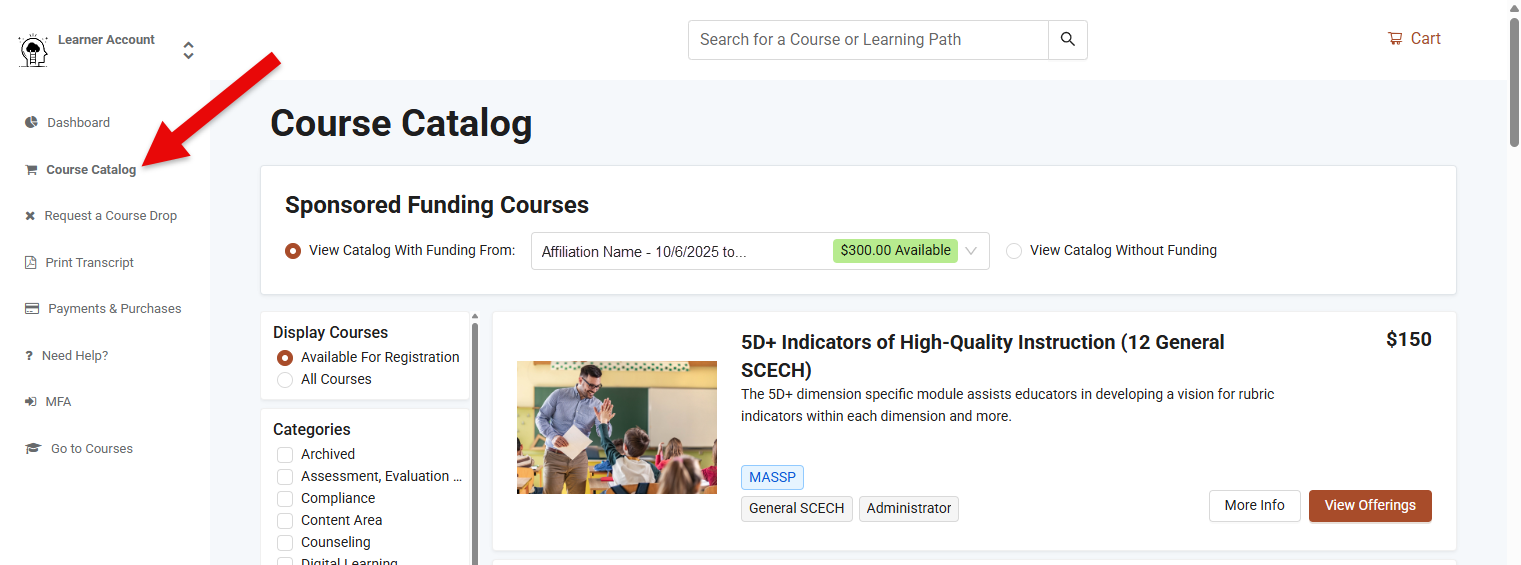
- By default, the "Sponsored Funding Courses" section will appear at the top of the Course Catalog with "View Catalog With Funding From" option selected.
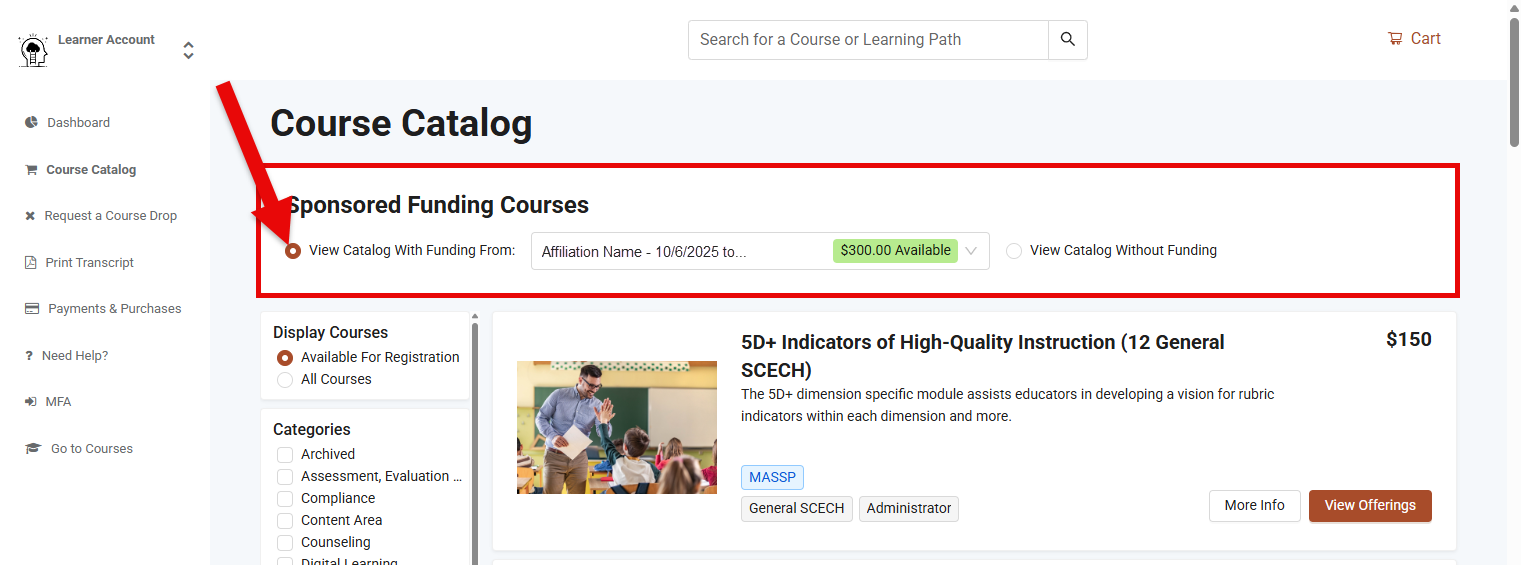 Note: The "Sponsored Funding Courses" section will only be displayed for Shared Time Program learners and learners whose districts offer a GRE (Group Registration and Enrollment) Choice. If the Learner created a personal account that isn't linked to the district's professional group, they should contact Customer Care to have their accounts merged.
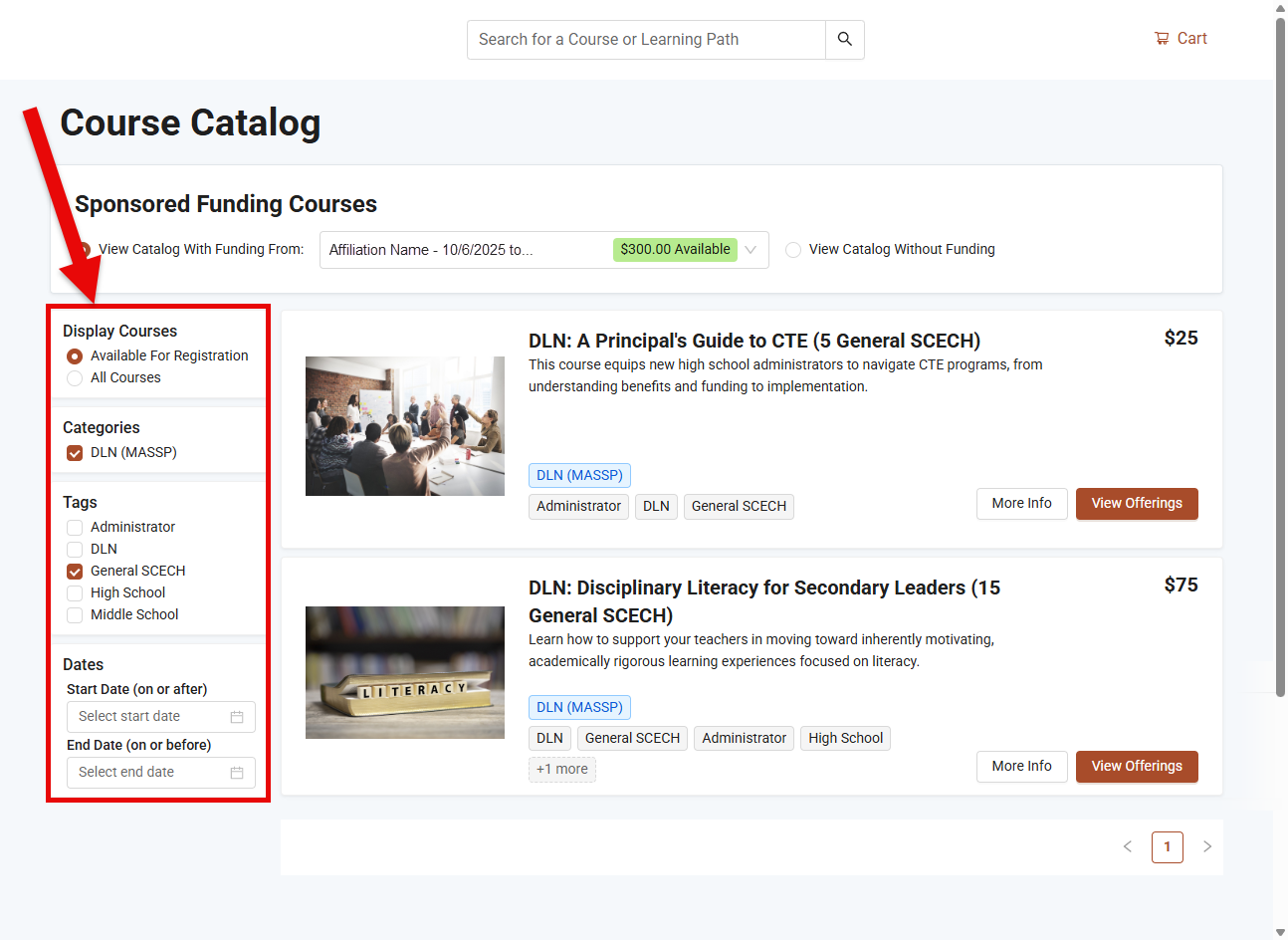
 - With the above selected, learners will narrow displayed results using the filters to the left. As filters are applied, the list of courses will update to reflect the selections the learner makes.
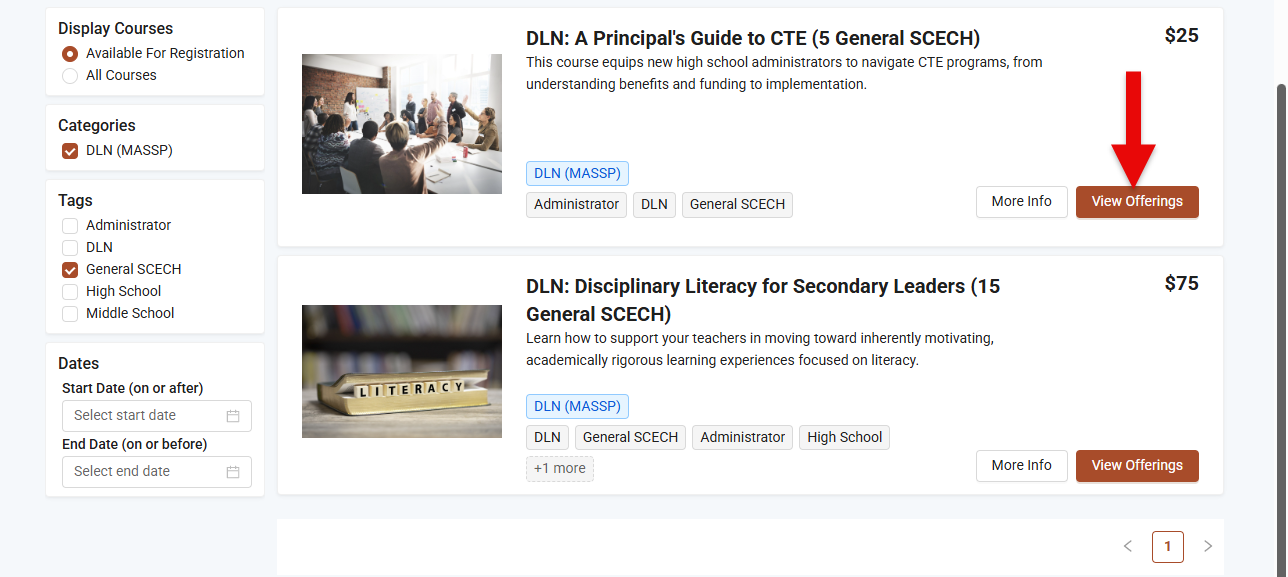
- Tap the View Offerings button to view additional information about the selected course.
- At this point, tap the Add to Cart button and then select the View Cart button to proceed with the purchase.
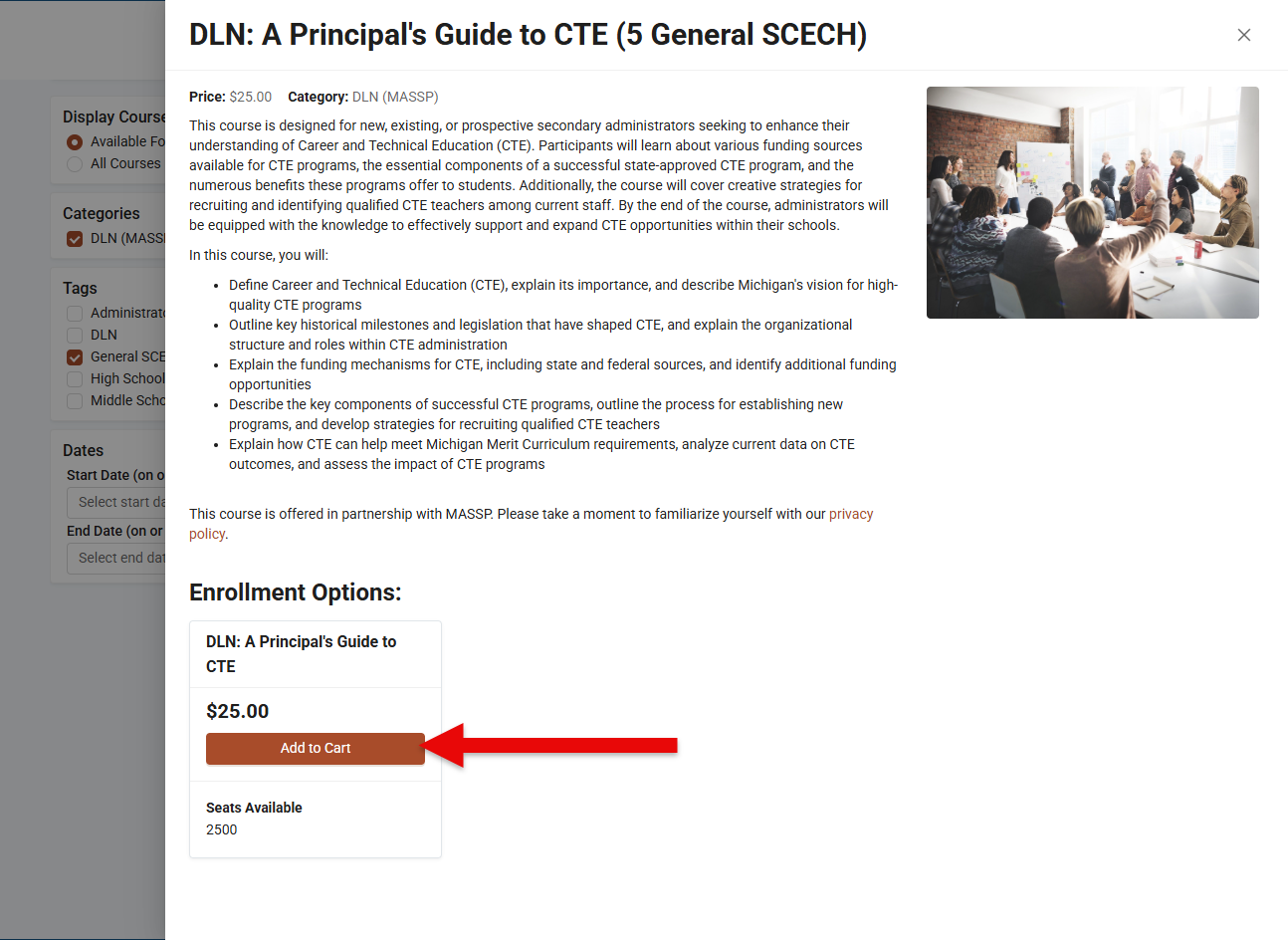
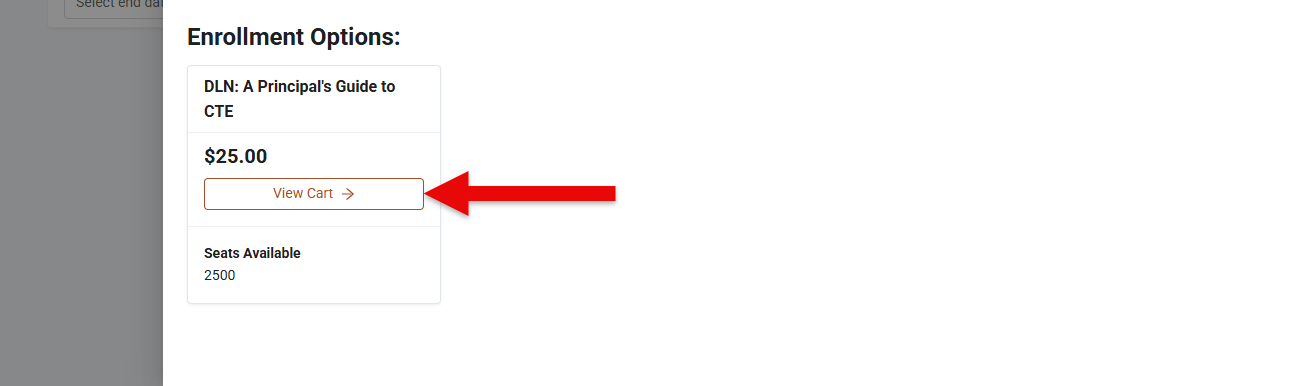
- At this point, the learner will navigate to the cart and then select Confirm Enrollment. Courses will then be available on the learner's Dashboard.
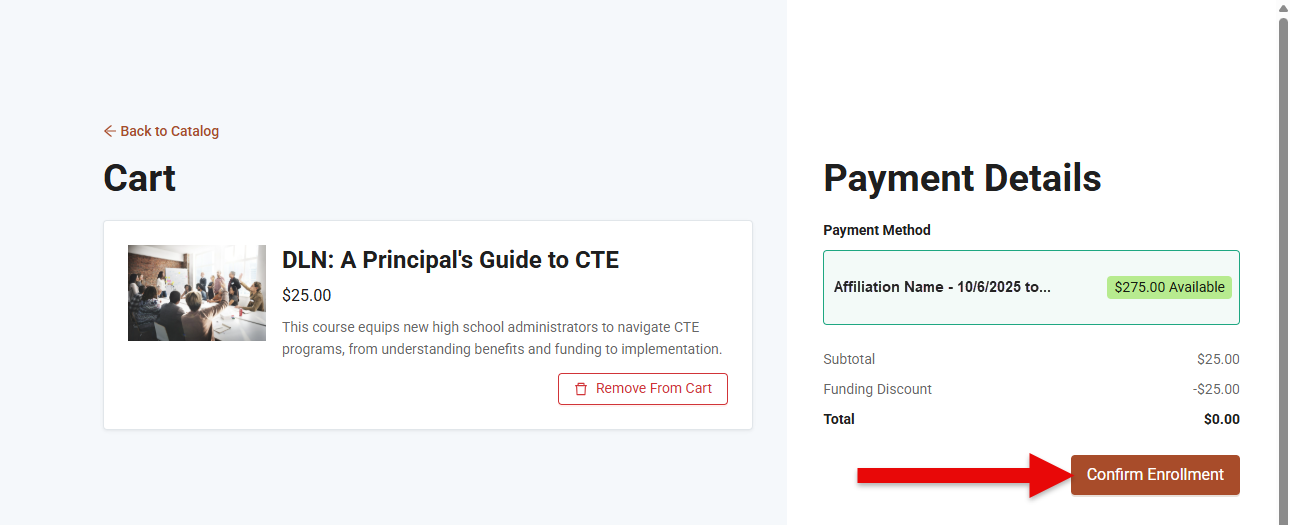
Important: Split payments are not supported. The price of a course or section must be equal to or less than the funding available to you. If a course costs more than your available Agreement funds, you will not be able to pay the difference yourself at checkout. In that case, reach out to your organization's administrator or to Michigan Virtual support before you enroll.
Earning SCECHs & Professional Credits
Michigan Virtual handles the recording process, but Learners must ensure specific details are correct in their profiles:
- To receive State Continuing Education Clock Hours (SCECHs), the learner's Professional Educator Number (PIC) must be accurate in the PLP profile. This number is used to report completion directly to the Michigan Online Educator Certification System (MOECS).
- The district coordinator receives weekly progress reports. These reports show which courses the learner has started, their current progress, and their completion status.
- Once a Learner completes a course, Michigan Virtual verifies the data and processes the SCECHs for all certified staff. The learner does not need to manually upload these to MOECS for district-provided PD.
Frequently Asked Questions
Do I need to enter payment information if my course is fully funded?
No. If your Agreement covers the full cost of your course, you will not be asked for a credit card or other payment method at checkout.
What if I do not see an Agreement in my Catalog?
This means your organization does not currently have an active Agreement on file for you, or the Agreement's start and end dates do not currently cover today's date. Contact your school or district administrator to confirm your eligibility.
Can I use more than one Agreement at a time?
You can only apply one Agreement to a single purchase. If you belong to more than one funding organization, you can choose which Agreement to apply from the drop down before you check out.
Who do I contact with questions about my funding?
Start with your school or district administrator, since they manage your organization's Agreement. If you need additional help, contact Michigan Virtual support.