Intended Audience: Shared Time Program Educators, Educators with Districts offering GRE Choice
About
Shared Time Program learners and learners whose districts offer a GRE (Group Registration and Enrollment) Choice may access the Professional Learning Portal (PLP) to view and sign up for approved courses. This article outlines the registration process for your district's approved courses and explains how to access your available Professional Development (PD) Credit.
Instruction
- Login to the Professional Learning Portal (PLP).
- First, select Course Catalog from the left navigation menu. By default, the "Sponsored Funding Courses" section will appear at the top of the Course Catalog with "View Catalog With Funding From" option selected.
Note: The "Sponsored Funding Courses" section will only be displayed for Shared Time Program learners and learners whose districts offer a GRE (Group Registration and Enrollment) Choice.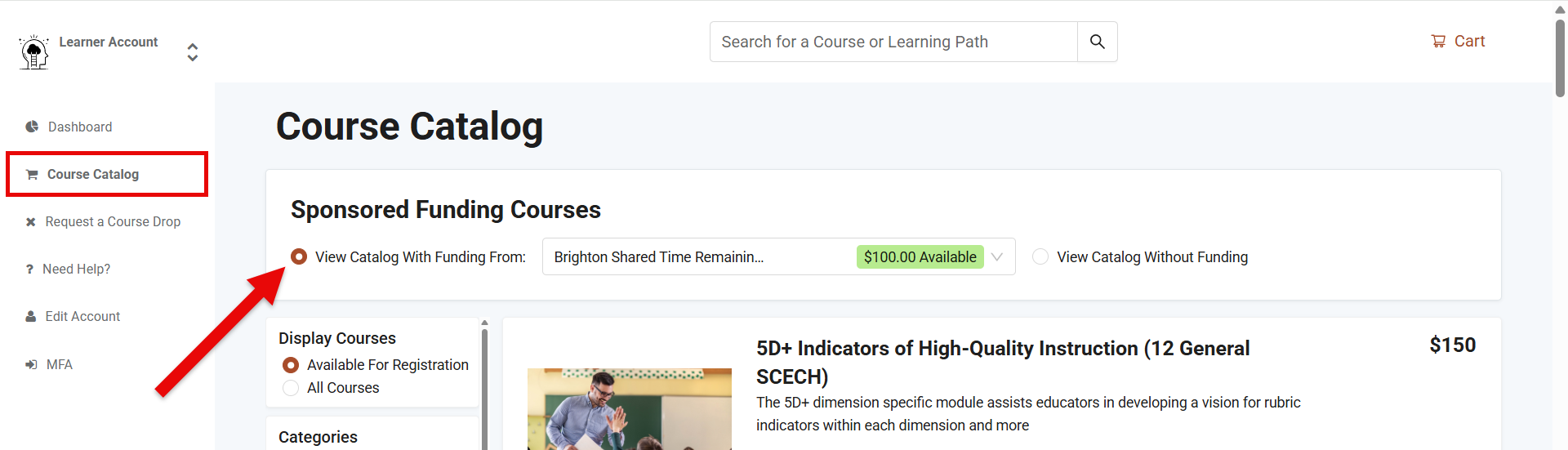
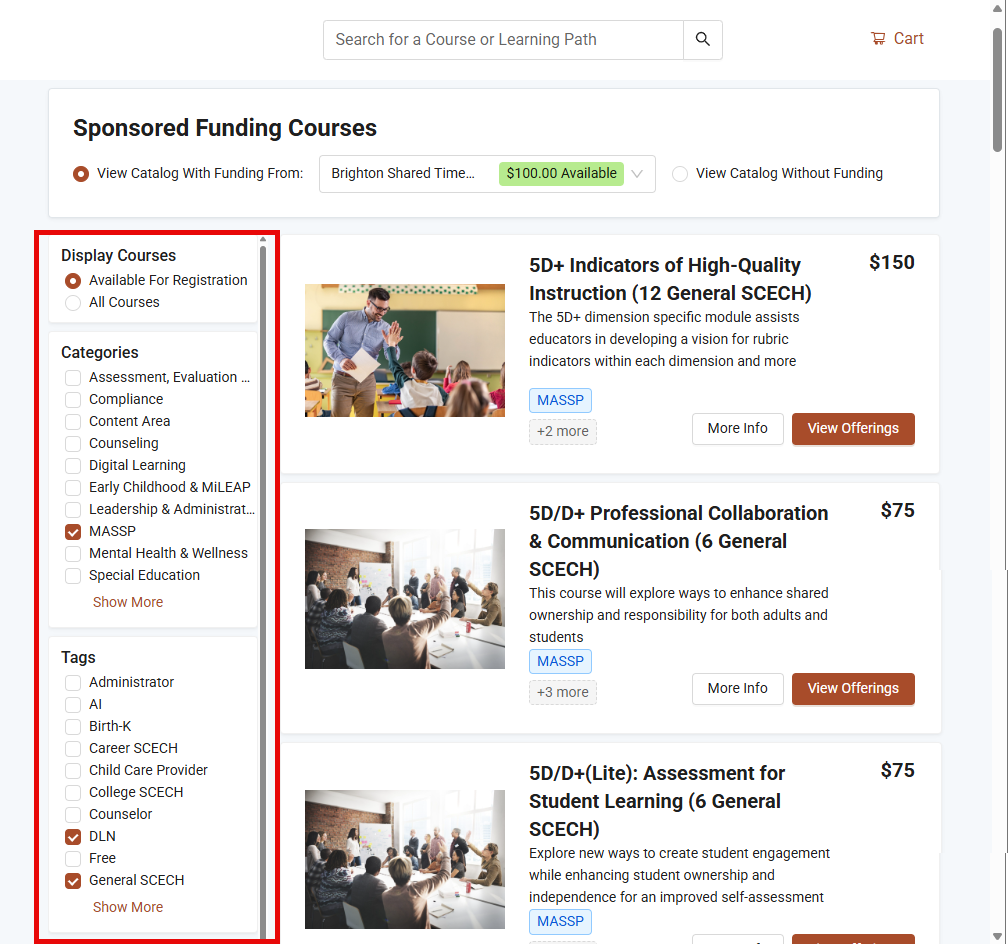
- With the above selected, learners will narrow displayed results using the filters to the left (i.e. Display Courses, Categories, etc.).
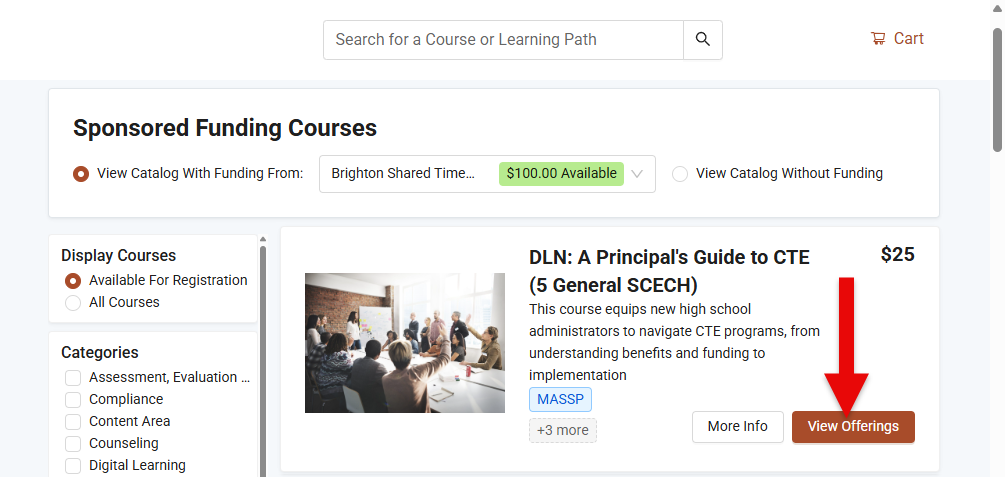
- Next, tap the View Offerings button to view additional information about the selected course.
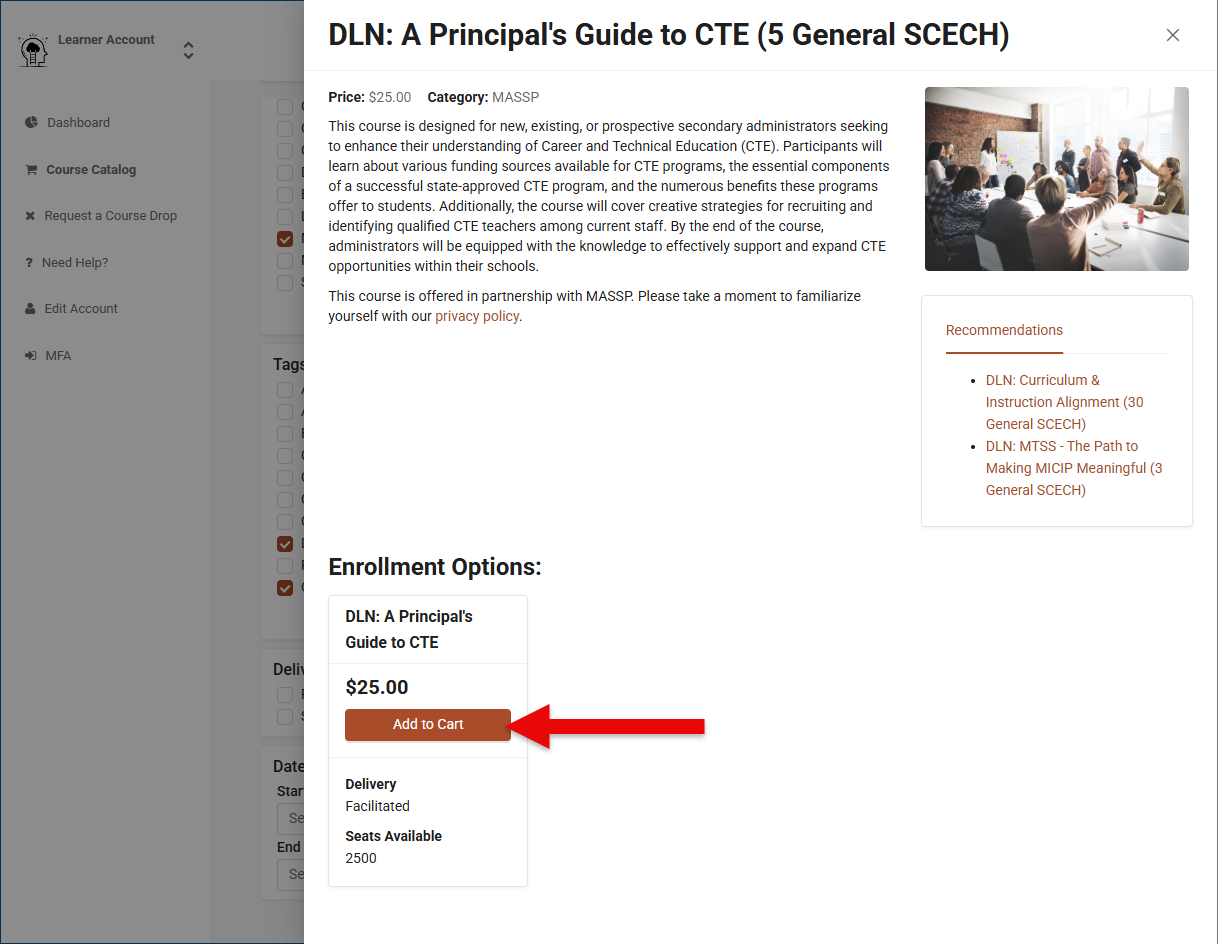
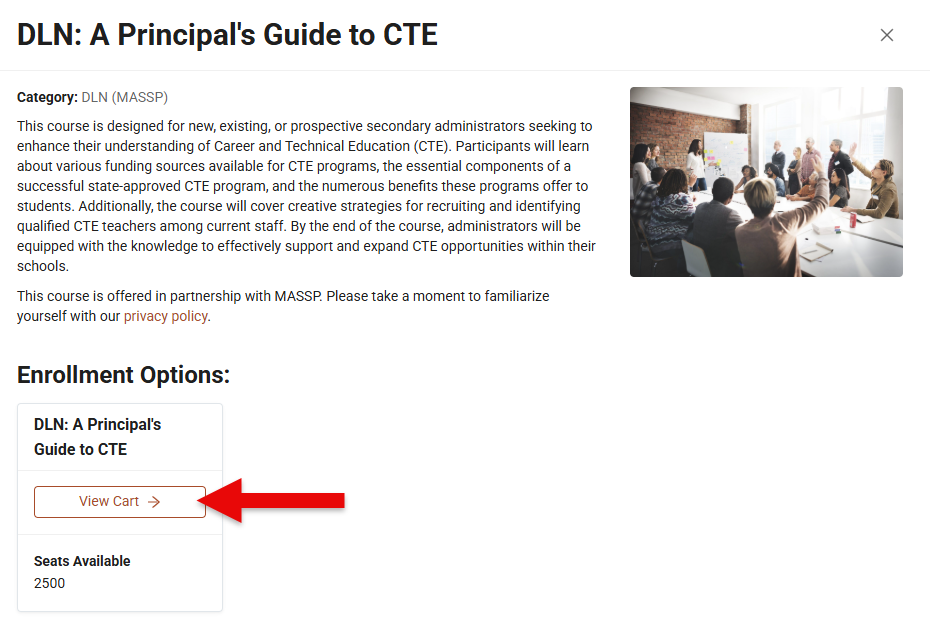
- At this point, tap the Add to Cart button and then select the View Cart button to proceed with purchase options.
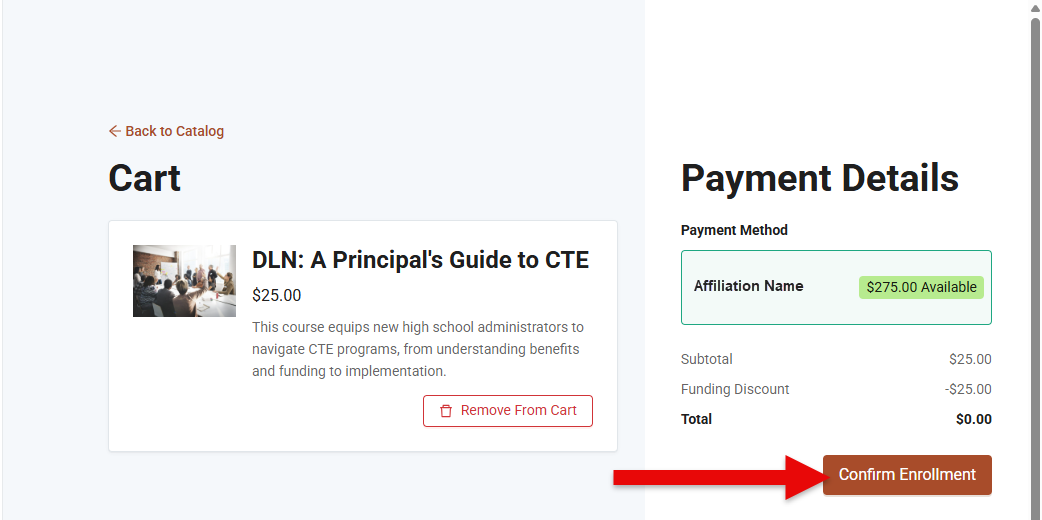
- The selected courses and payment details will be displayed on the Cart page. Tap the Confirm Enrollment button to process the payment using the Funding Discount.