Intended Audience: Affiliation users, Mentors
Affiliation users and mentors supporting students through a Collaborative Partnership should refer to Passwords for Collaborative Courses.
About
When a K–12 student is enrolled in a Michigan Virtual course through a school, the mentor assigned to support the student is responsible for obtaining the necessary exam passwords. These passwords are available in the secure, on-demand Passwords Dashboard located within the Brightspace Insights Portal. This guide outlines the steps a mentor should take to locate midterm and final exam passwords well in advance of the scheduled assessments.
Important: Midterm and final exams are strongly recommended to be proctored. This means the mentor must supervise the student while the exam is being completed. After the course concludes, access to all content, including the final exam, will no longer be available.
At the start of the academic term, mentors should consult the course Pacing Guide to determine the scheduled dates for midterm and final exams.
Instruction
Login to the SLP
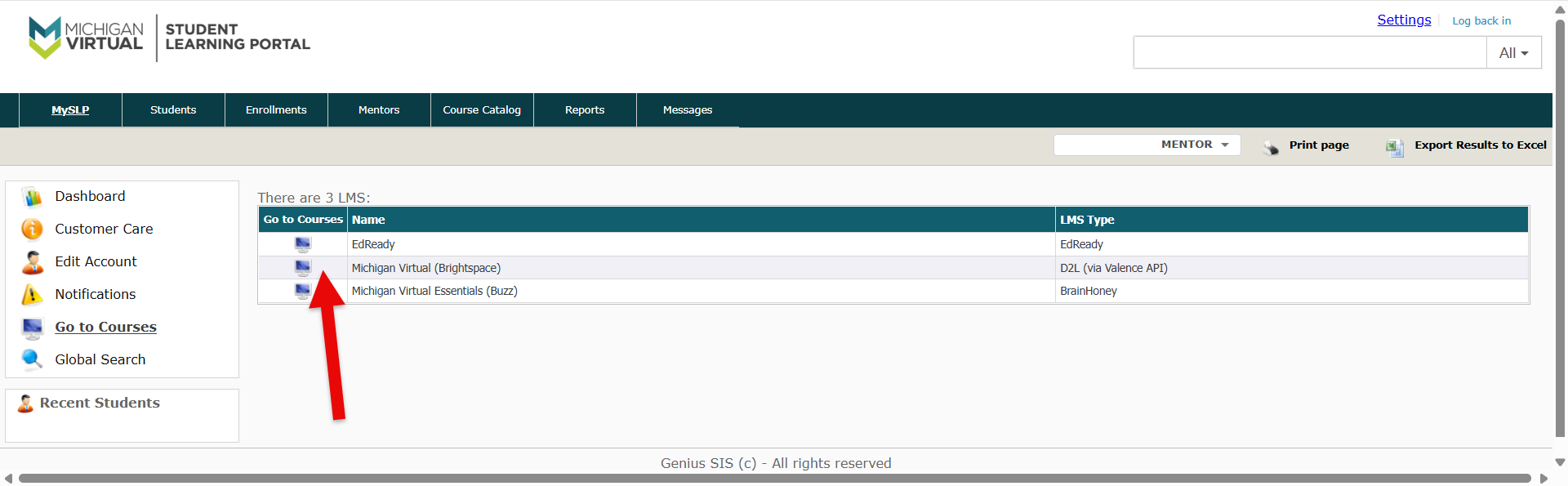
- Access the Student Learning Portal (SLP) and select the MySLP tab.
- Tap Go to Courses, then choose "Michigan Virtual (Brightspace)" from the list.
Open the Exam Passwords Dashboard
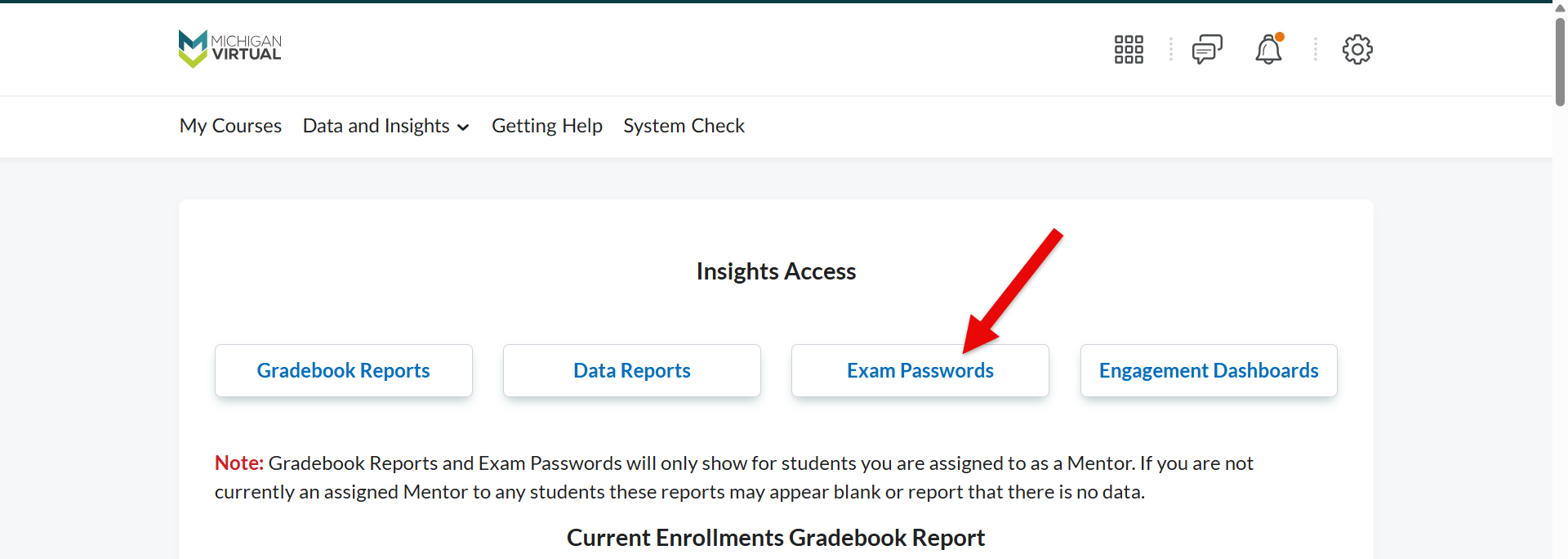
- Tap the Exam Passwords button.
Filter by Term and Course
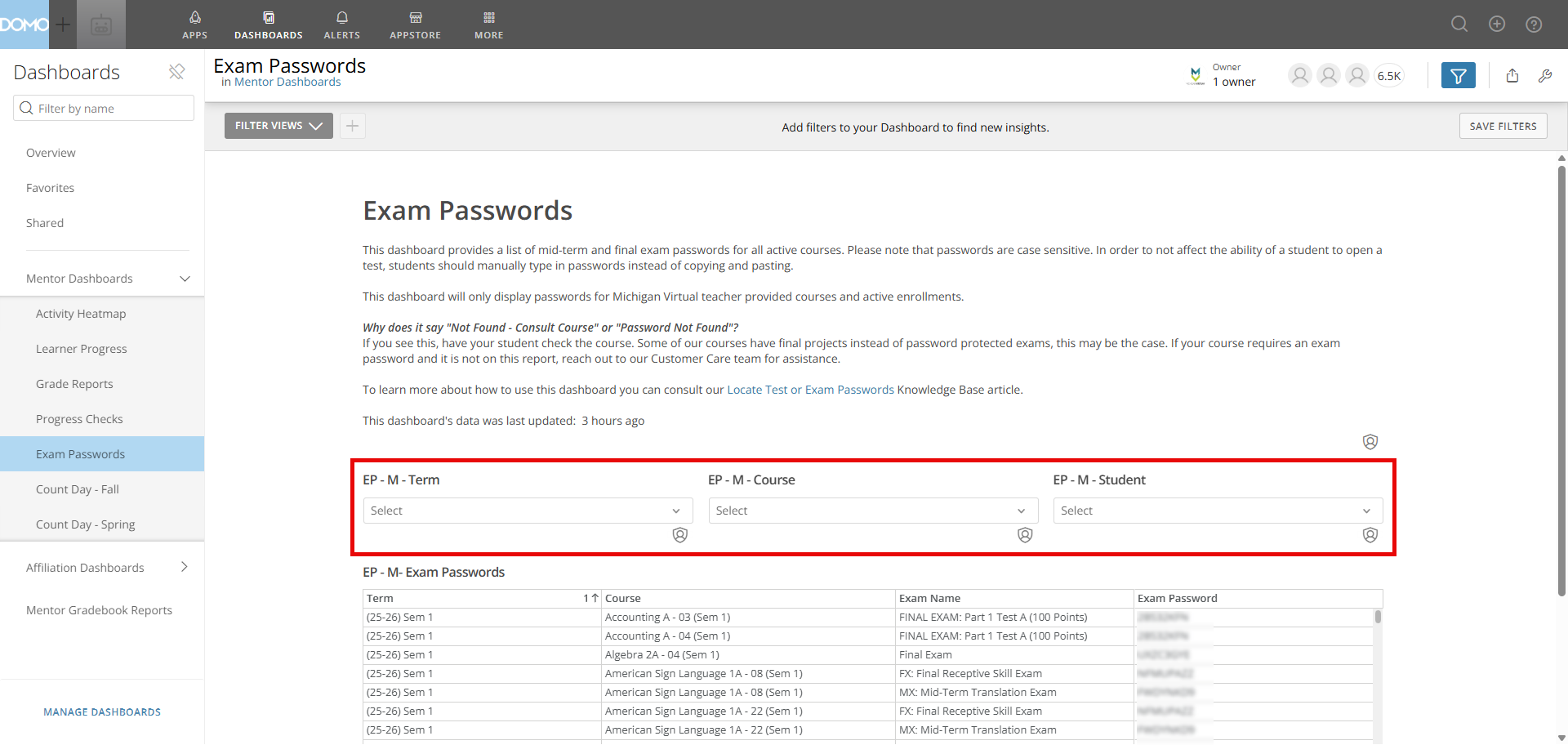
The dashboard provides access to midterm and final exam passwords for all active teacher-provided courses. Both Mentors and Affiliation Users can filter the table using the following options:
- Student Name: Search or filter directly by student to find passwords for a specific learner.
- Term: Confirm the selected term matches the student's current active enrollment period.
- Course: Filter by specific course title.
Understanding Dashboard Statuses
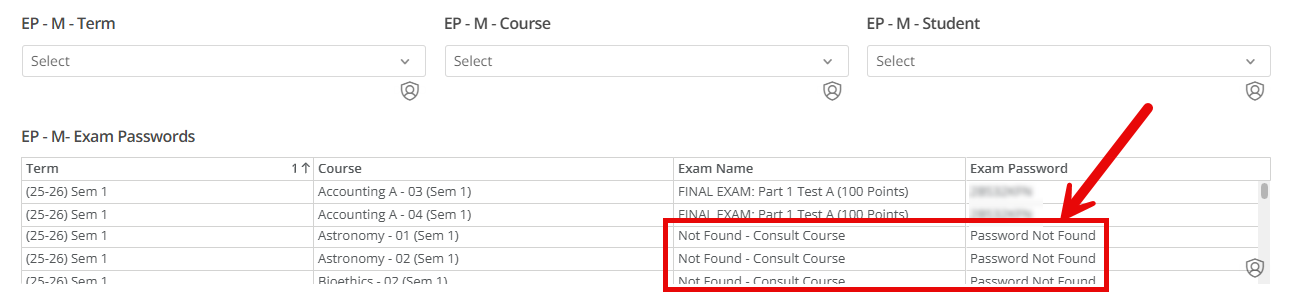
Not all courses require an exam password. If a course uses final projects or papers instead of a traditional exam, no password will be generated.
| Exam Name Field | Password Field | Meaning & Next Steps |
| Not Found - Consult Course | Password Not Found | 1. Check the course content or syllabus to confirm whether an exam password is required (e.g., courses with projects/papers do not require one). 2. If the course does require an exam password and this message is displayed, please contact Customer Care for assistance. |
Passwords for Collaborative Courses
Passwords for Collaborative courses are not available in Insights. For students enrolled through a Collaborative Partnership, mentors must contact the course instructor or the Collaborative Administrator to obtain exam passwords. Because Collaborative Partnerships can change course passwords at any time, we do not track them in Insights to avoid providing inaccurate information.
Collaborative instructors can find exam passwords within their courses by referencing the KB article: Brightspace CI: Locating Passwords for Exams.